Barcode & QR Code Reader
Scan a barcode with your camera or select an image in your browser. Decoding runs locally on your device.
How to scan a barcode
1. Choose camera or image
Use the live camera for a physical code, or select an image file from your device.
2. Align or crop the code
Keep a camera code in the frame. For an uploaded image, crop around the single code you want to read.
3. Review and copy the result
Check the decoded text or URL, then copy it or export your saved scan history as CSV.
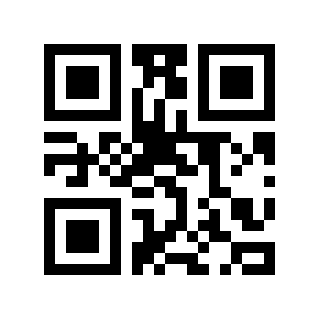
Try a sample QR code
Download this sample, then choose Select image in the scanner and open the file. You can also point another device’s camera at the code. Use it as a quick check before choosing personal photos; a successful sample read does not guarantee that a blurry or damaged code will decode.
Download sample QR codeSupported barcode and QR formats
QR Code · EAN-13 · EAN-8 · UPC-A · UPC-E · Code 128 · Code 39 · Data Matrix · PDF417 · Codabar · ITF · Aztec
Frequently asked questions
Where is barcode decoding performed?
The decoder runs in your browser on your device. The page itself may still request app assets, ads, or analytics over the network when those resources are enabled; local decoding does not disable that activity.
Can I scan without an internet connection?
Open the page online first so the app assets and decoder can be cached. After they are cached, the PWA can scan without a connection. Camera access still depends on browser permissions and a secure context.
Can I scan several barcodes at once?
Scan All is a camera feature that detects multiple codes in one camera frame. The uploaded-image workflow returns one result at a time; crop the image when it contains several codes.
How do I scan a barcode from a saved image?
Choose Select image and open a PNG, JPG, or WebP file. The reader first attempts to decode it; crop around one code and scan again if needed. Cropping helps when the image contains other content or more than one barcode.
Which barcode formats are supported?
The reader supports QR Code, EAN-13, EAN-8, UPC-A, UPC-E, Code 128, Code 39, Data Matrix, PDF417, Codabar, ITF, and Aztec.
Does an EAN or UPC barcode include a product name?
No. EAN and UPC decoding returns the encoded number, not a product name or catalog details.
Does the reader open decoded URLs automatically?
No. It displays the decoded URL for you to review; it is not automatically opened or safety-validated.